Most business Instagram accounts post carousels that look fine but get buried in 48 hours. The problem isn't the design — it's the format. Instagram's algorithm rewards saves and shares above all else, and only specific carousel structures reliably trigger both behaviors.
After analyzing thousands of carousel posts across industries, these 15 formats consistently outperform generic "tips" carousels. Each one is engineered to make people stop, swipe, save, and follow.
The good news: once you know the structure, an AI carousel generator can produce any of these formats in under 30 seconds — branded, written, and ready to post.
Why Carousels Dominate Instagram in 2025
Instagram carousels receive 3x more reach than single-image posts on average. When someone doesn't engage with slide 1, Instagram re-shows the post starting from slide 2. You essentially get multiple chances to hook the same user.
More importantly, carousels earn the highest save rate of any format. Saves signal deep value to the algorithm — it tells Instagram your content is worth coming back to. That triggers distribution to non-followers, which is how new accounts grow fast.
The 15 Best Instagram Carousel Ideas for Business
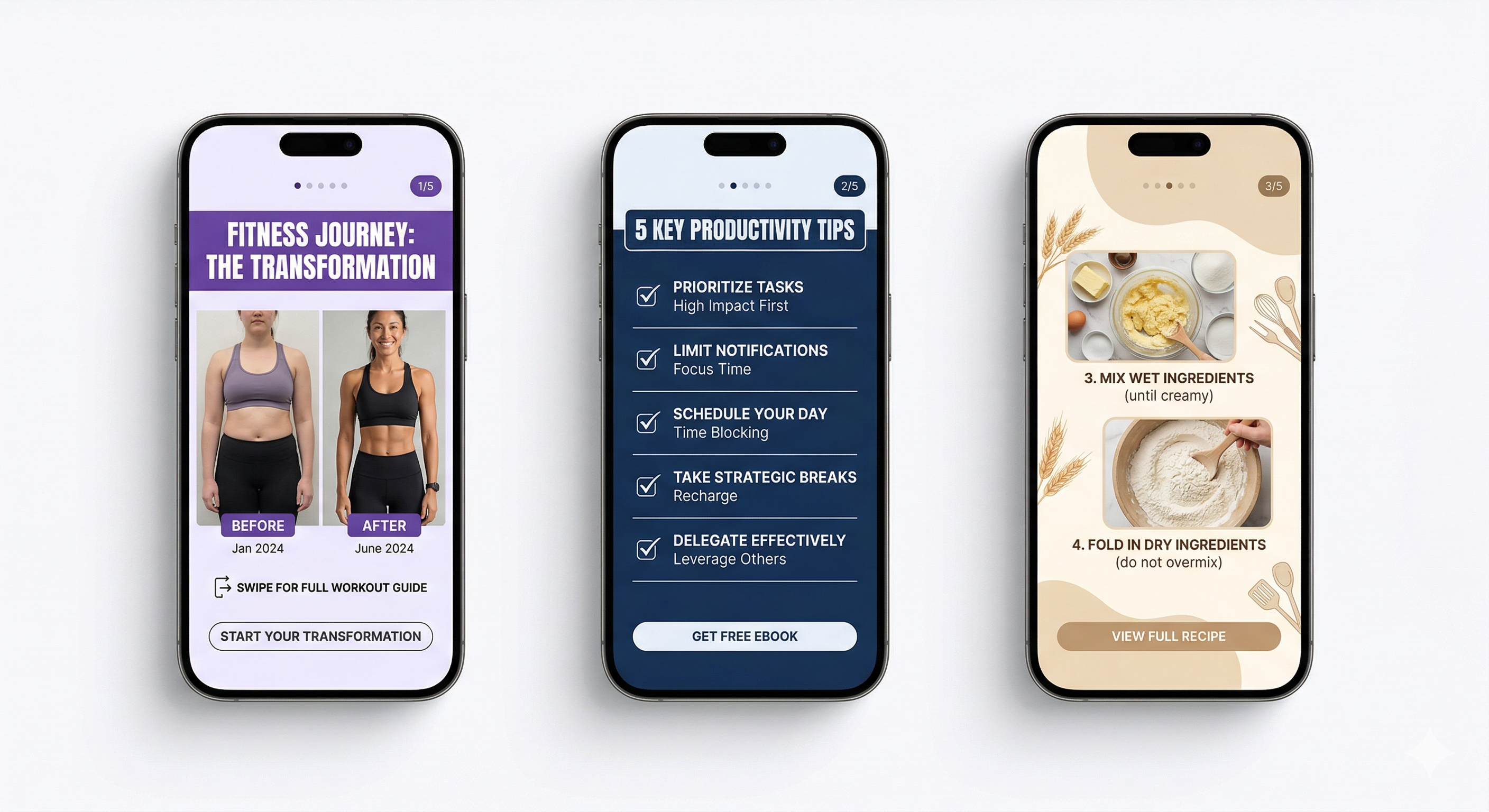
The "Before / After Transformation" Carousel
Structure: Slide 1 shows the "before" (the pain, the mess, the old way). Each middle slide shows the transformation process. Final slide reveals the "after" result.
This works for fitness businesses, marketing agencies, interior designers, skin care brands, software companies — anyone who produces a measurable result. The psychological tension between slide 1 and the final slide keeps people swiping.
Hook line: "I went from [painful before] to [amazing after] in [timeframe]. Here's exactly how:"
High save rateThe "Mistakes People Make" Carousel
Structure: Slide 1 = "X mistakes [your audience] makes with [topic]." Each slide = one mistake + the fix in a sentence or two.
This format performs exceptionally well because it triggers a fear of being wrong. People save it to reference later ("I need to check I'm not doing this"). Works for any professional service, SaaS tool, or expertise-based business.
Example: "5 mistakes small business owners make with their Instagram ads (and how to fix each one)"
Very high share rateThe "Step-by-Step Tutorial" Carousel
Structure: Slide 1 = the result you'll achieve. Slides 2–8 = one numbered step per slide with a visual. Last slide = CTA to try it / follow for more.
Tutorials are the #1 saved content type on Instagram. The key is that slide 1 must show a specific, desirable outcome — not just "how to [do vague thing]." The more specific the result, the higher the save rate.
Pro tip: Use a numbered progress indicator (e.g., "Step 3 of 7") in the corner of each slide. It increases swipe-through rate by showing readers they're making progress.
Highest save rateThe "Industry Myth-Busting" Carousel
Structure: "X things you've been told about [topic] that are wrong." Each slide = one myth followed by the truth.
This format positions your brand as an authority willing to challenge conventional wisdom. It gets shared because people love proving others wrong. It works especially well for finance, health, marketing, and any industry full of outdated advice.
High share rateThe "Product Showcase with Context" Carousel
Structure: Slide 1 = product hero shot. Slides 2–4 = the product in use / in context. Slide 5 = key benefit or USP. Slide 6 = price + CTA.
Pure product photos perform poorly. Product-in-context photos perform 2–4x better. Show your product solving a real problem in a real setting. E-commerce brands that switch to this format typically see 30–50% higher click-through rates.
E-commerce essentialThe "Quick Win Checklist" Carousel
Structure: Slide 1 = "The [X]-point checklist for [desired outcome]." Each slide = one checklist item with a visual checkbox aesthetic.
Checklists are inherently completable — they trigger the same satisfaction as to-do lists. People save them to "run through later." Make the checklist genuinely useful, not fluff. If readers feel they learned something actionable, they'll follow and share.
Save magnetThe "Case Study / Real Results" Carousel
Structure: Slide 1 = result headline ("How [Client/We] went from X to Y in Z weeks"). Slide 2 = the starting problem. Slides 3–6 = the strategy broken down. Slide 7 = the measurable result. Slide 8 = how to replicate it.
Case studies generate massive trust and shares because they contain specific numbers. Vague claims get ignored — real data (even from your own business) gets shared by competitors and followers alike.
Trust builder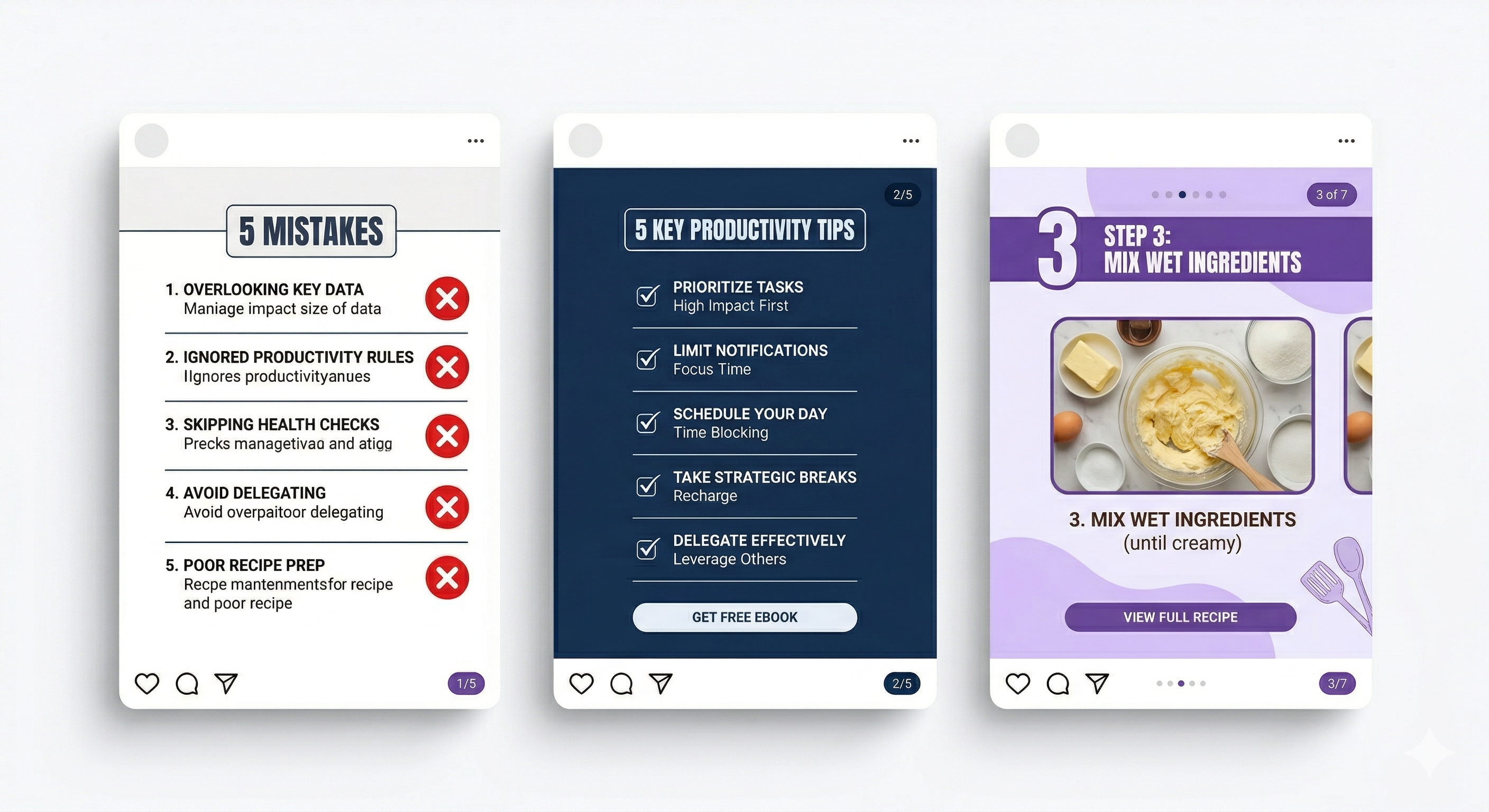
The "Tools / Resources Stack" Carousel
Structure: "My [role]'s full toolkit for [outcome]." Each slide = one tool with what it does and why you use it.
Resource roundups get saved by people who haven't tried the tools yet and want to come back. They also get shared by the tool companies themselves if you tag them. This format is especially powerful for consultants, coaches, and agency owners who can recommend software relevant to their clients.
High engagementThe "Day in the Life / Behind the Scenes" Carousel
Structure: Real photos or illustrated scenes from your actual workday / process. Each slide = one moment with a short, honest caption.
Authenticity is the highest-performing content category in 2025. People are exhausted by polished perfection. Showing the real, unglamorous parts of your business — the early mornings, the messy desk, the difficult client call — builds the kind of connection that turns followers into buyers.
Brand buildingThe "Comparison Table" Carousel
Structure: Slide 1 = "[Option A] vs [Option B] — the honest breakdown." Each slide = one comparison dimension (price, ease of use, results, etc.). Final slide = your recommendation with reasoning.
Comparison content is saved at very high rates because people are mid-decision. If you're comparing your product/service honestly against alternatives, this format also drives direct conversions — people trust brands that acknowledge competitors.
High conversionThe "Controversial Opinion + Defense" Carousel
Structure: Slide 1 = a take that challenges the consensus in your industry. Slides 2–6 = the evidence and reasoning. Final slide = your call to action or discussion prompt.
Controversy done right (based on substance, not provocation) generates massive comment engagement. Comments are weighted heavily by Instagram's algorithm. The key is to have a genuine, defensible position — not manufactured outrage.
Comment driverThe "FAQ Answered Visually" Carousel
Structure: Take the 6–8 most common questions your customers or clients ask. Dedicate one slide per question with a clear, visual answer.
FAQ carousels are highly shareable because people forward them to friends who ask the same questions. They also reduce friction in your sales process — prospects get answers before they reach out. This format works especially well for service businesses, e-commerce brands with complex products, and consultants.
Sales supportThe "Trend Report" Carousel
Structure: "X trends in [your industry] for [year]." Each slide = one trend with a short explanation of why it matters and what to do about it.
Trend content performs well in January–March and September–October, when people plan ahead. If you publish genuinely insightful trend content before the crowd, you earn significant shares from industry peers and media accounts. Don't predict obvious things — find the non-obvious shifts happening in your niche.
Thought leadershipThe "Pricing Breakdown" Carousel
Structure: Slide 1 = "Here's exactly what [service/product] should cost — and why." Each slide = one pricing component explained transparently.
Pricing transparency is rare and therefore powerful. Most businesses hide their prices, which creates anxiety for potential customers. If you explain your pricing with context ("why it costs this much, what you get, what you're not paying for"), you attract serious buyers and repel tire-kickers — both valuable outcomes.
Converts followers to buyersThe "Personal Lesson Learned" Carousel
Structure: Slide 1 = "The biggest lesson I learned from [experience/failure/success]." Slides 2–6 = the story of what happened, what you tried, what failed, and what you discovered. Final slide = the one-sentence lesson and how to apply it.
Personal story carousels generate the highest comment engagement of any format because they invite empathy and discussion. Vulnerability is a business asset on Instagram — sharing genuine lessons, including failures, builds more trust than any portfolio ever will.
Highest comment ratePro tip: The single most important slide in any carousel is slide 1. If it doesn't stop the scroll in 0.5 seconds, the remaining 14 slides don't exist. Test different cover images for the same carousel — a small change to the hook can double your reach.
How to Actually Create These Without a Designer
Knowing the formats is half the battle. Executing them consistently — with on-brand design, coherent copy, and the right visual style — is where most business accounts stall.
The traditional workflow: brief a designer → wait 3–5 days → receive draft → revision rounds → final files. That's fine for a quarterly campaign. It's impossible for a consistent content calendar.
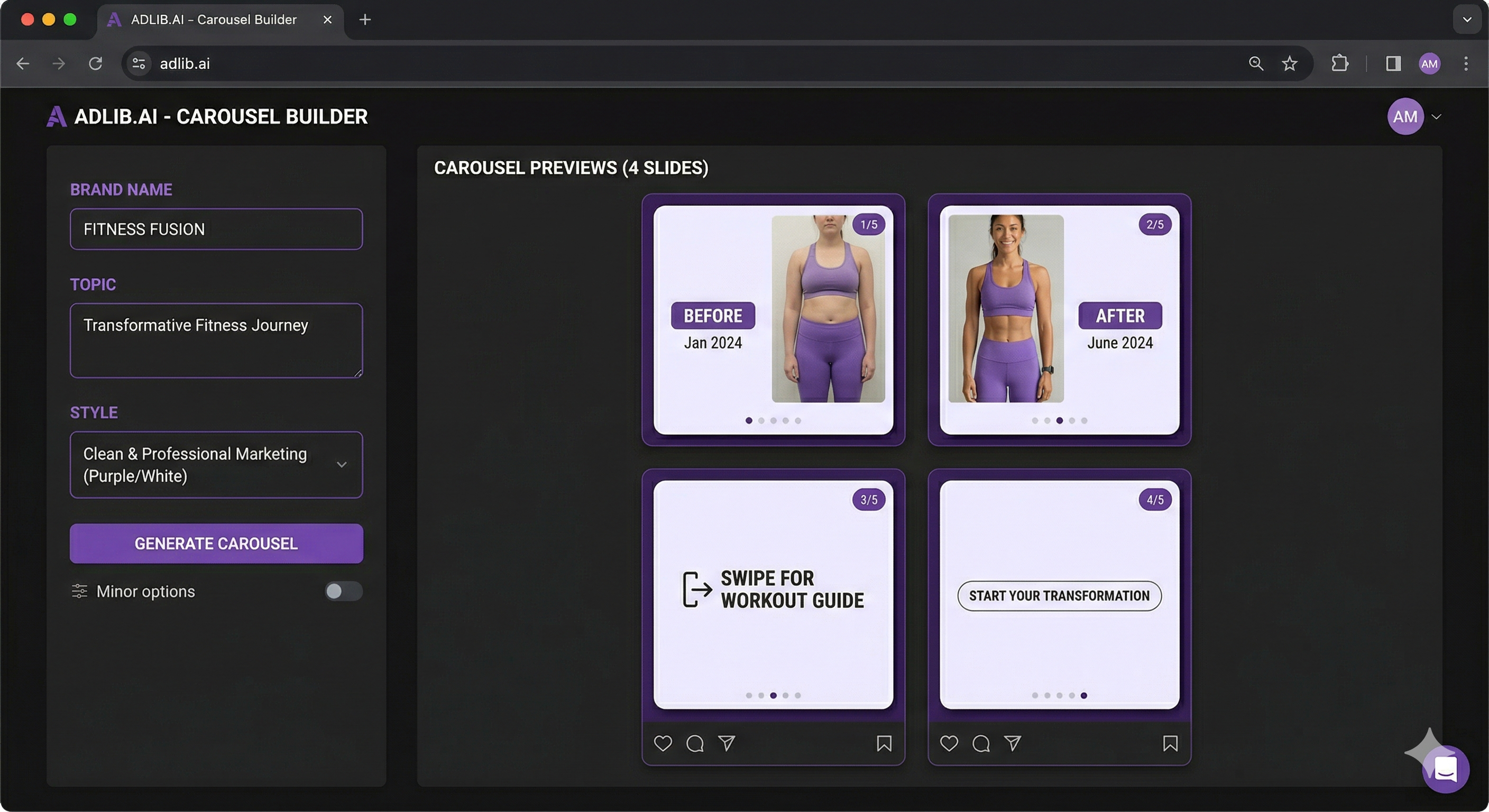
The modern workflow: describe your topic and brand to an AI Instagram carousel generator → get a fully designed, copy-written carousel in 30 seconds → download and post.
With Creatives Gen's carousel generator, you enter your brand name, color palette, and topic — the AI writes the copy for each slide, designs the visuals in your brand style, and outputs a ready-to-post set. The entire process takes less time than writing one caption manually.
The Quick-Start System for Consistent Carousel Output
Pick 3–4 formats from this list that fit your business. Map them to a weekly schedule:
- Monday: Educational (tutorial or checklist) — drives saves early in the week
- Wednesday: Social proof (case study or before/after) — builds trust mid-week
- Friday: Engagement-driver (opinion or myth-bust) — generates comments going into the weekend
Rotate through your 3–4 formats so your feed doesn't feel repetitive. After 8 weeks, review your analytics to see which formats your specific audience saves and shares most — then double down on those.
The businesses growing fastest on Instagram in 2025 aren't posting more. They're posting smarter — consistent formats, consistent brand, consistent value. With AI handling the production, there's no excuse for inconsistency anymore.
Generate Your First Carousel in 30 Seconds
Enter your brand, pick your format, get a fully designed multi-slide carousel — free, no card needed.
Try the AI Carousel Generator →Frequently Asked Questions
How many slides should a business Instagram carousel have?
The sweet spot is 5–8 slides. Fewer than 5 doesn't give enough value to earn saves. More than 10 requires genuinely exceptional content to keep people swiping. For tutorials and how-to formats, 7–8 slides tends to perform best. For opinion and story formats, 5–6 is usually right.
What should the first slide of a carousel say?
The first slide must contain a hook — a single sentence or short headline that creates a knowledge gap or promises a specific outcome. Avoid generic openers like "Today I want to talk about..." or "Here are some tips for...". Instead, lead with the result: "I grew my account by 12K followers using this exact carousel format" or "You're writing your captions wrong. Here's why:"
Do Instagram carousels still work in 2025?
Yes. Carousels consistently outperform single images and, in most niches, Reels for reach and saves. The algorithm continues to reward the extended viewing time that carousels create. The format is more competitive than it was in 2022, which means quality matters more — but well-executed carousels still see 3–5x the organic reach of static posts.
Can I use AI to create Instagram carousels?
Yes. AI carousel generators like Creatives Gen can produce fully designed, copy-written carousels in under a minute. You provide the brand, the topic, and the format — the AI handles design and copywriting. This makes it practical to post 3–5 carousels per week without a design team.